Field Sales software for UAE distributors and route teams

Your salespeople work where the signal is weakest. Zeyto Field Sales lets them start the day online, sell, collect and take returns with no connection, then send everything to the office, where each document is recorded exactly once.

Screenshot from the Zeyto demo company, with sample data.
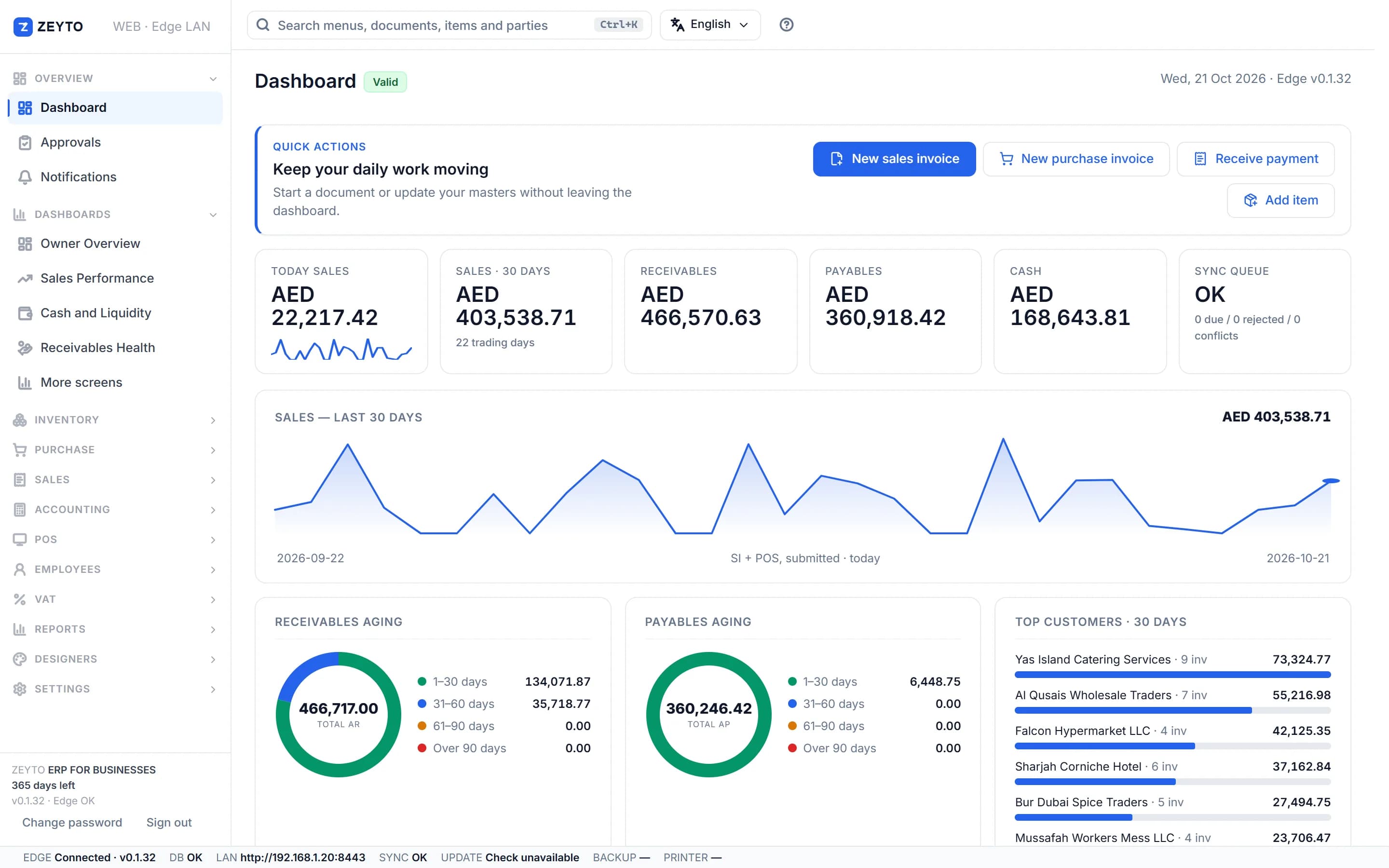
Zeyto ERP owner dashboard in the demo company: sales, receivables, payables and cash

The field day

Start, sell, send, close

  1. Start the day while onlineThe screen downloads customers, prices, tax codes and the stock you carry, and the office reserves a block of invoice numbers for the device.
  2. Sell, collect and take returns offlineEach document gets its final number, is printed for the customer and is saved on the device.
  3. Send when a connection returnsSend now, or let it send by itself. The office posts each document through the normal pipeline, so VAT, period locks, credit control and posting rules all apply.
  4. Close the dayCount the cash. The office checks it against the expected cash and records any difference.

Printed numbers

Why the invoice number on paper is final

A customer holding a paper invoice must see a number that is final. So the office reserves blocks of numbers for each device, separately for invoices, receipts and credit notes. By default a block holds 50 numbers and the limit is 500. Each document you complete takes the next reserved number and keeps it, even if it is refused later. When numbers run low the screen warns you, and Get more numbers fetches a fresh block while online.

Read more

Everything stored on the device is locked with a PIN of at least 6 characters, so a lost phone does not give away customers or prices. The PIN is only a local lock, not the Zeyto password. If the PIN is forgotten, documents not yet sent cannot be recovered, which is why salespeople should send often.

Three documents

Sell, collect and return

  • Sales invoice (SI)Stock leaves the field warehouse and the customer pays in full, pays part, or buys on credit. Credit sales over the customer's limit need a supervisor's name, which the office reviews later.
  • Receipt voucher (RV)A collection settles the customer's oldest invoices first and reduces exposure on the device immediately, which helps the next credit-limit check.
  • Sales return (SR)A credit note for goods given back. The goods return to field stock and the customer owes less.

End of day

Expected cash and the difference

When the day is closed the office computes the expected cash from what the documents actually did to the company's cash accounts: opening cash plus the net cash movement of the session's documents. Credit sales do not count. For example, opening cash of 200.00 plus cash invoices of 1,850.00 plus cash collections of 1,500.00 gives expected cash of 3,550.00. If the salesperson counts 3,540.00 the variance is minus 10.00, and a journal debits the shortage account and credits Cash in Hand. When the counts agree nothing is posted.

Read more

Managers see every open session in Field Sales Sessions: who is out with which stock, how much opening cash they took, how many documents they sent, when they last connected and how many printed numbers are left. A lost or stolen device can be revoked at once, and its unused numbers are taken back.

Honest limits

Know these before you roll out

  • Offline selling needs a secure address: the browser allows the storage and encryption it needs only on https or on the machine itself, not on plain http over the shop network
  • Items tracked by serial, batch or expiry cannot be sold offline, because no unit can be picked
  • Stock is judged against the pack plus the device's own movements, so two devices do not reserve stock against each other
  • In the phone app, open Field Sales and start the day while you still have a signal; it cannot be reopened with no connection at all
  • Offline invoices have no e-invoice QR code, and Zeyto's connection to an Accredited Service Provider is not released yet
  • If the office refuses a document, usually because its date falls in a closed period, it is kept as a draft carrying the printed number so the customer's copy still matches

Documents keep the date of the sale A document sent late keeps the date of the sale, not the date it arrived, and the period lock applies when it is sent. Close the field day the same day to avoid a refusal. This page is general information, not tax or legal advice, and was last reviewed on 8 November 2026.

Next step

See the ERP running before you decide

Open the public demo, install the Windows trial, or talk to the Zeyto team about your workflow.

Try the live demo

No install needed

User
admin
Password
demoAdmin123
POS PIN
1234

Demo data refreshes nightly to keep the sample company clean.

Open live demo

Install the trial

Your own PC

Run Zeyto cloud, private cloud, on-premise or on a local server, with desktop shell, browser access and the mobile app.

Talk to Zeyto

Sales, support, partners

Send your industry, branch count, users and reporting needs. We route you to the right person.

FAQ

Straight answers

Does Field Sales work with no signal?
Yes, once the day has been started while online. Selling, collecting and returns work with no connection. Documents are sent when a connection returns, and the office records each one exactly once even if the connection drops halfway.
What happens if the same invoice is sent twice?
Each command carries its own identity, so sending it twice books it once.
Can a salesperson sell more than the credit limit?
Only with a supervisor's name typed in. That is a record, not a check, because a PIN cannot be verified offline, so the office reviews these approvals later.
What if a phone is lost?
Everything on the device is locked with a PIN. A manager can still press Revoke on the session, which stops the device sending documents and takes back its unused invoice numbers. Documents it had not yet sent are lost to the office.
Do I need a special licence?
Field Sales is part of the Sales product. The user needs the permission to sell, and the stock is carried in a warehouse of the type Field sales, one device per warehouse at a time.

Try a field day in the demo

Open the demo and start a Field Sales session.