Construction ERP for UAE contractors

From BOQ to final account, on one ledger

Zeyto Contracting ties every cost to a project and an item of work, then bills the client with retention and VAT. Procurement, inspection, site phones, finance and approvals in one system, on your own server.

Pre-release. Zeyto Contracting is built and tested, but not released yet: no public installer, no published prices, no customer yet. We are looking for pilot contractors.

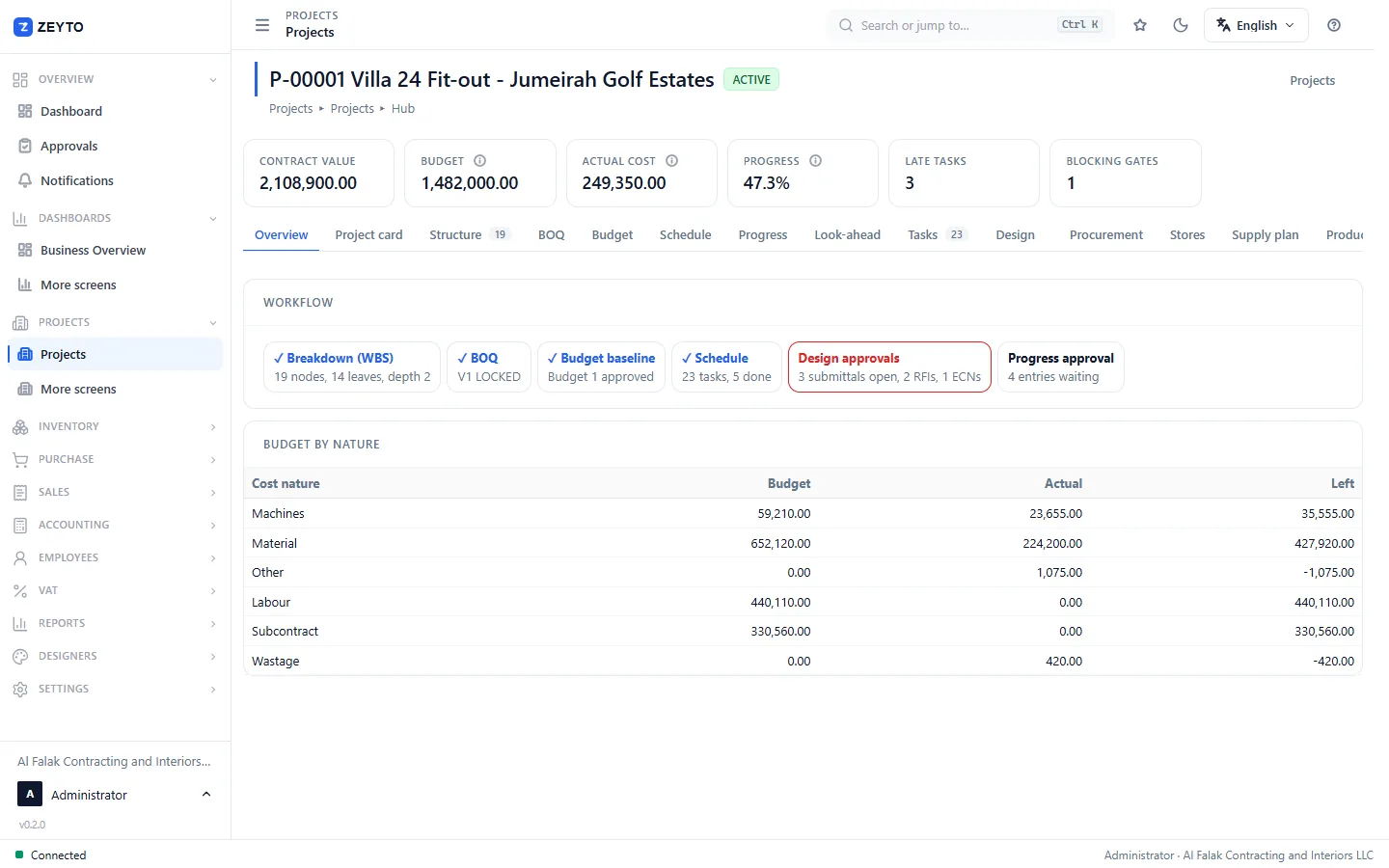
The project hub for a villa fit-out with contract value, budget, actual cost and progress tiles, a workflow strip and the budget split by cost nature.
  • One ledger, tagged by project and WBS node
  • BOQ to progress bill, with retention and VAT
  • RFQ to PO to inspected delivery
  • Site phones that keep working offline
  • Runs on your own server, no internet needed for daily work
Why contractors use it

Six things a contractor needs in one place

One ledger, tagged by project

Every cost document, from goods received to labour, plant, subcontract and petty cash, posts to the same ledger tagged with the project, the WBS node and the cost nature. Budget, committed and actual are live, not a spreadsheet at month end.
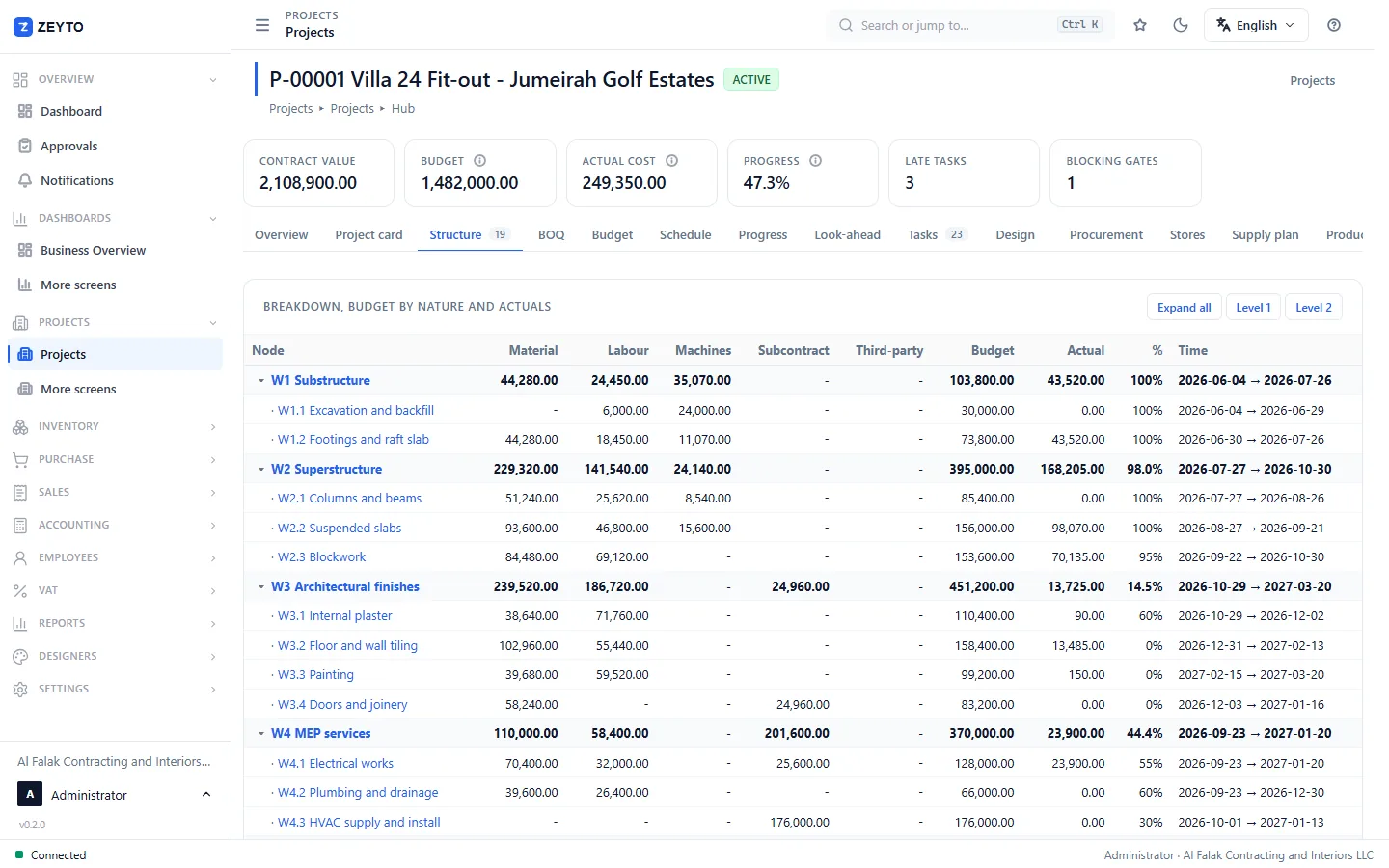
The work breakdown tree of a project with material, labour, machines and subcontract budget, actual cost and percent complete on every line.

BOQ to billing, with retention and VAT

Price the BOQ, approve the budget, then bill by percent of the work approved on site. Retention is held and released, advances are recovered, variations are priced and approved before they are billed, and the UAE VAT tax invoice comes out of the same screen.

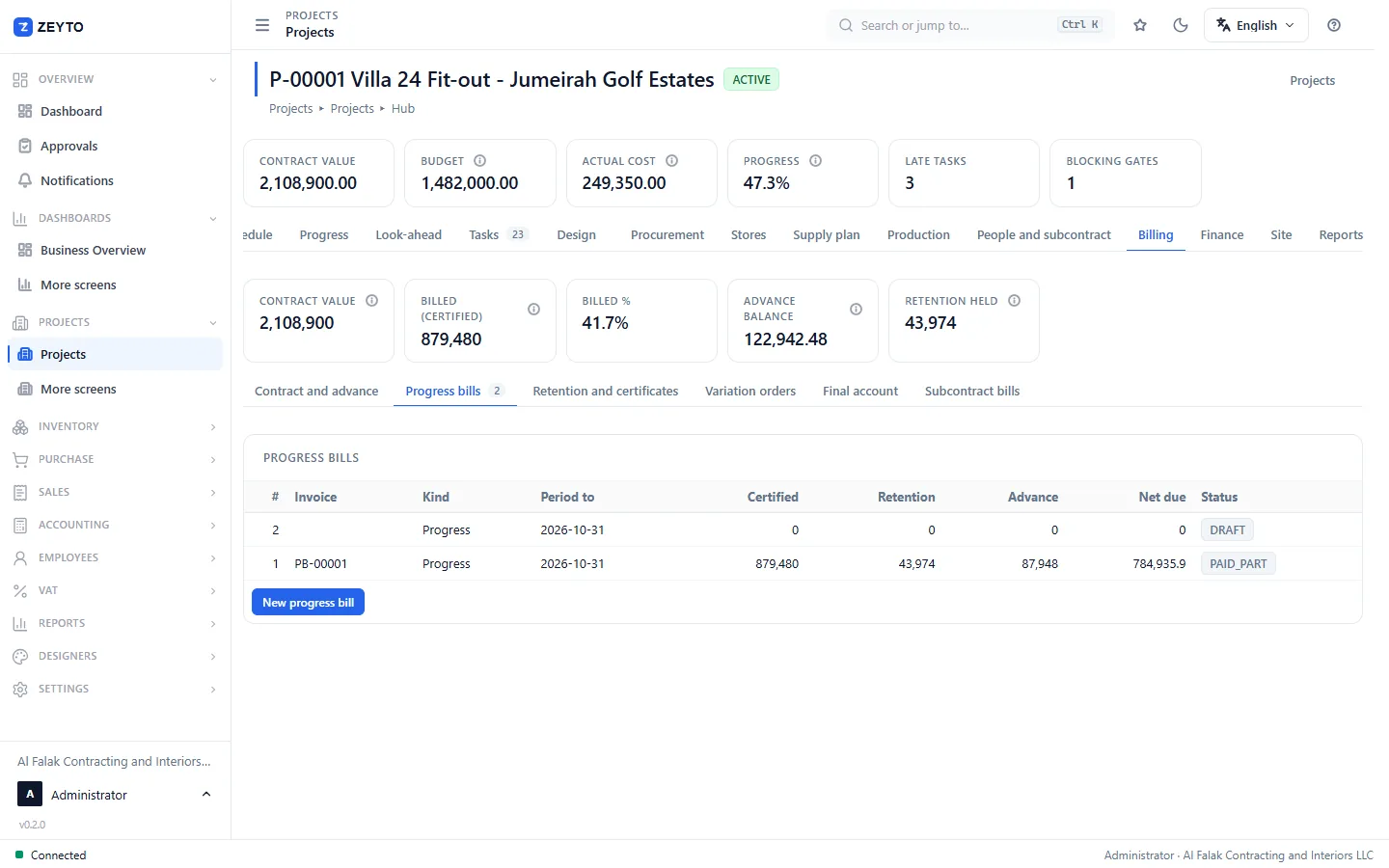
The billing tab of a project showing the contract, the billed percentage, the advance balance, retention held and the list of progress bills with their status.

Procurement you can trust

Material request, reservation from stores, RFQ with a quote comparison, purchase order with a price check against budget, then delivery, count, inspection and goods received at the accepted quantity only.

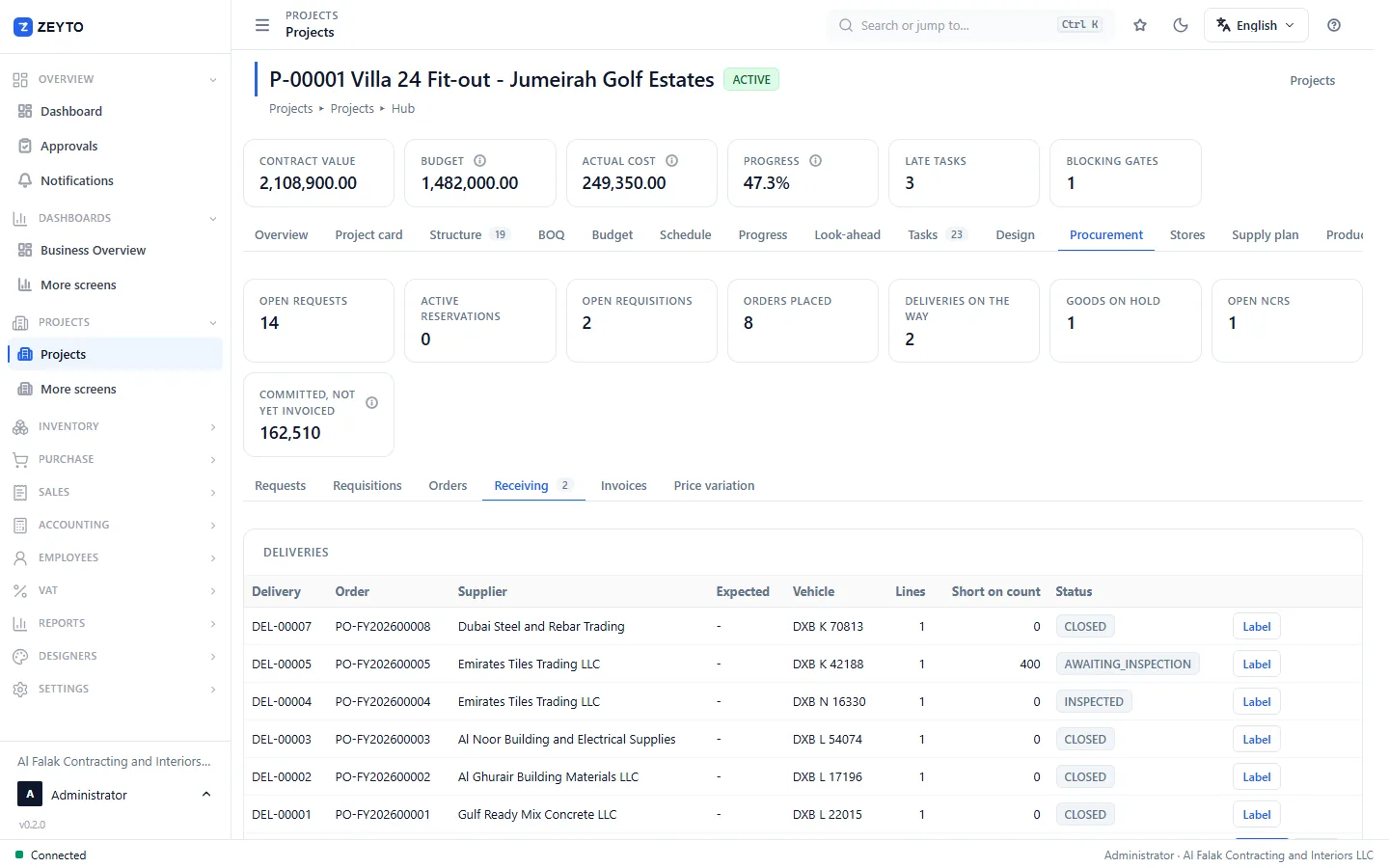
The receiving list of a project with deliveries, the supplier, vehicle, lines, quantity short on count and the status from awaiting inspection to closed.

A finance hub for the owner and the CFO

Billed, retention held and owed, committed but not invoiced, cash and bank. A 13-week cash forecast, profitability by project, revenue and WIP, and a month-end close with a lock.

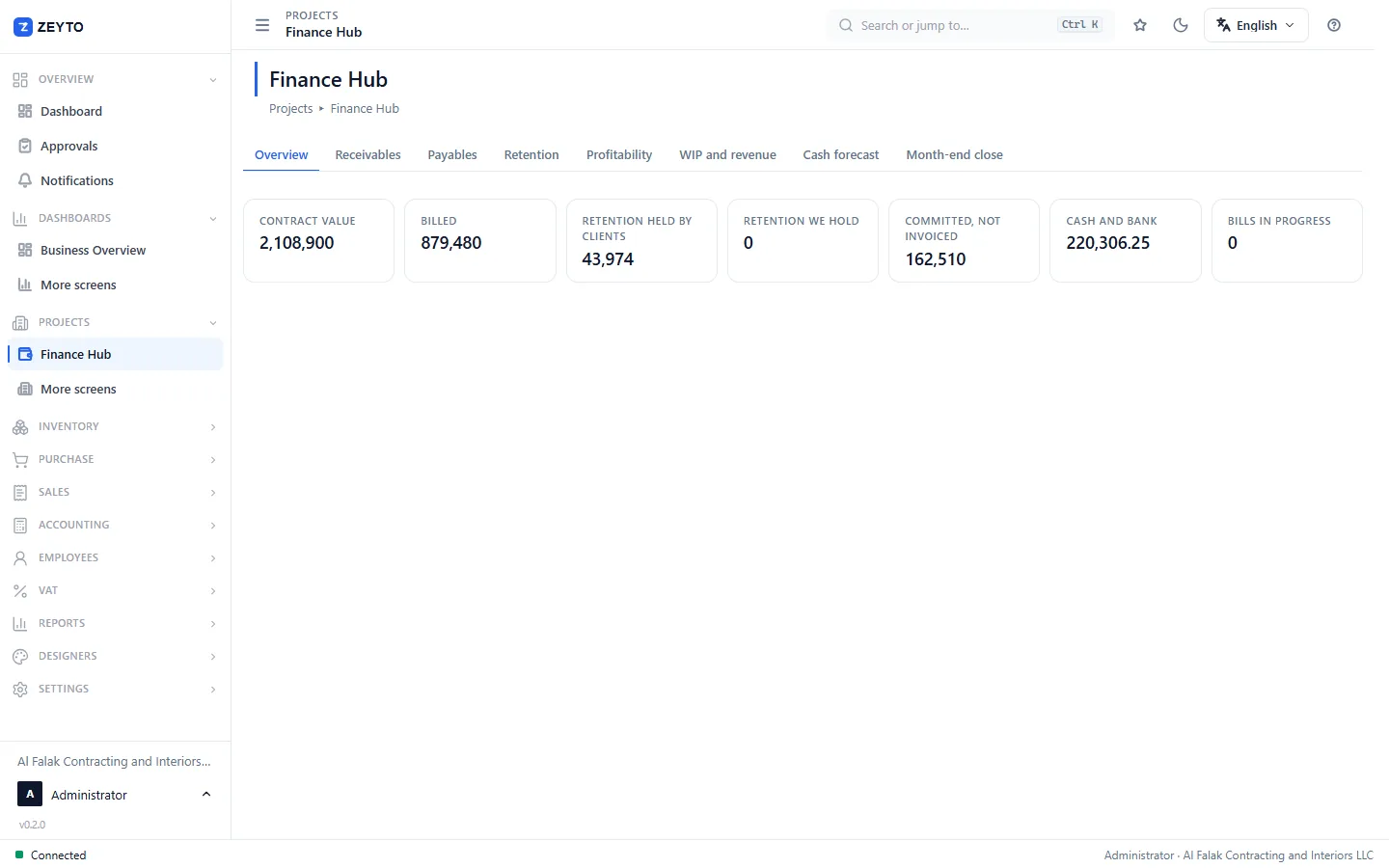
The finance hub overview with contract value, billed, retention held, committed but not invoiced and cash and bank tiles.

The site on a phone, online or not

Site engineers, gate staff, QC, storekeepers and safety officers work from a phone. Records are saved on the phone first and sent when the signal returns, so a basement or a remote site does not stop the work.

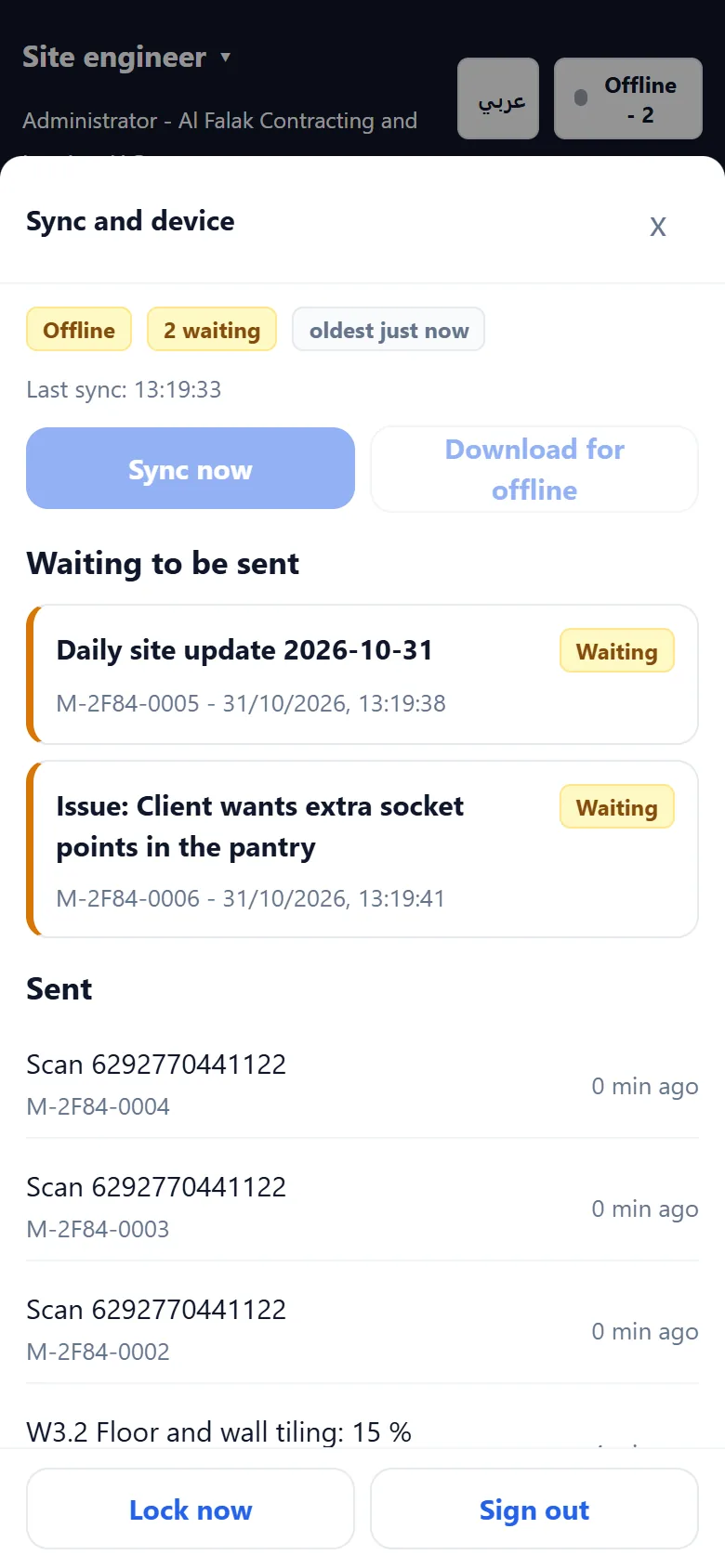
A phone showing it is offline with two records waiting to be sent and a list of records already sent with their temporary numbers.

Control without a paper chase

Approvals by amount and project, alerts, four-eyes on budget changes and retention release, and a tamper-evident audit trail that records who changed what, and why.

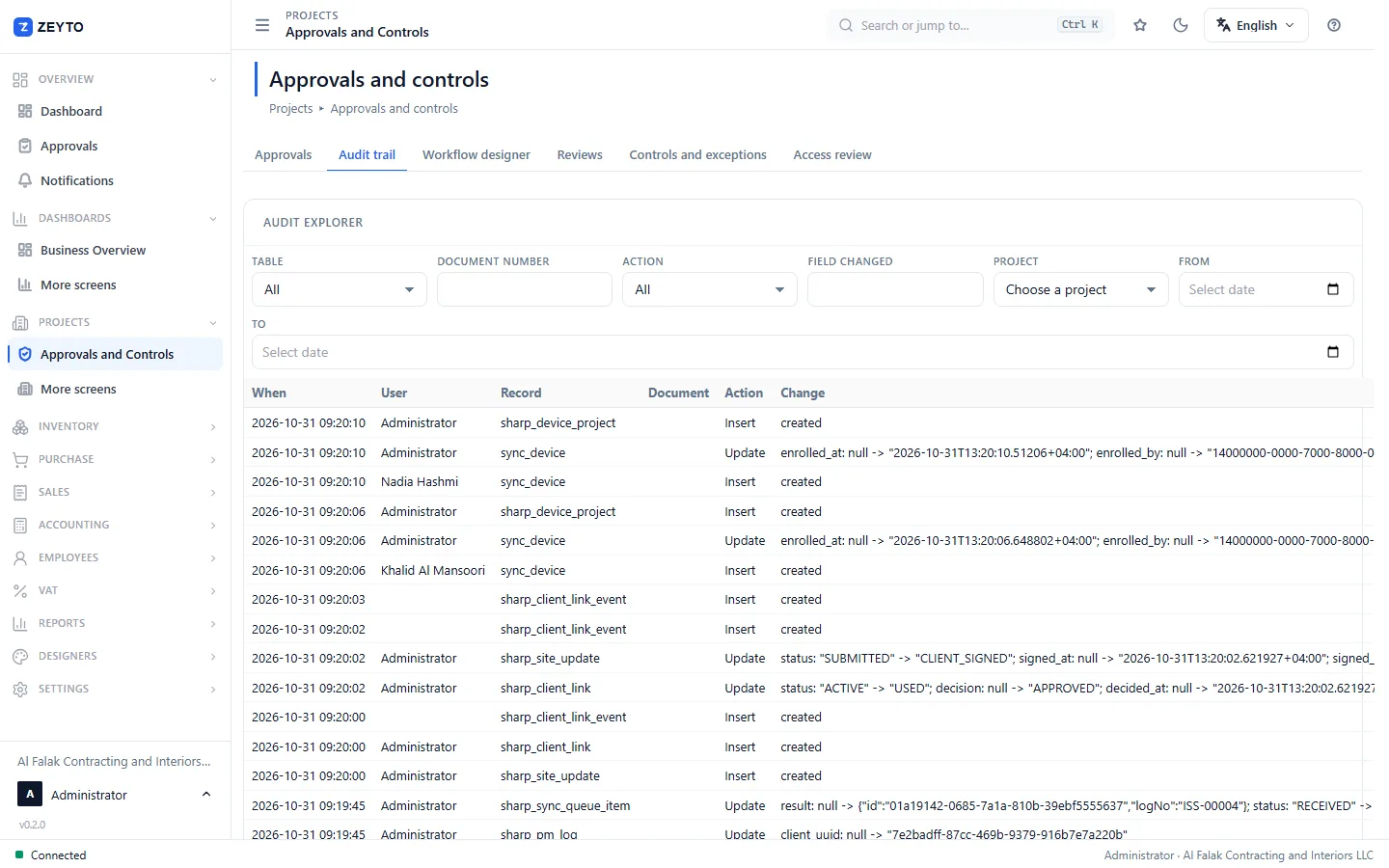
The audit explorer listing each change with time, user, record, action and the before and after values.

Screenshots from a Zeyto Contracting build with demo data. The contractor, client and project shown are made up.

Modules

Eleven modules, licensed as you need them

The licence is built around modules, and limits on live projects and sites. Start with what you need.

Projects

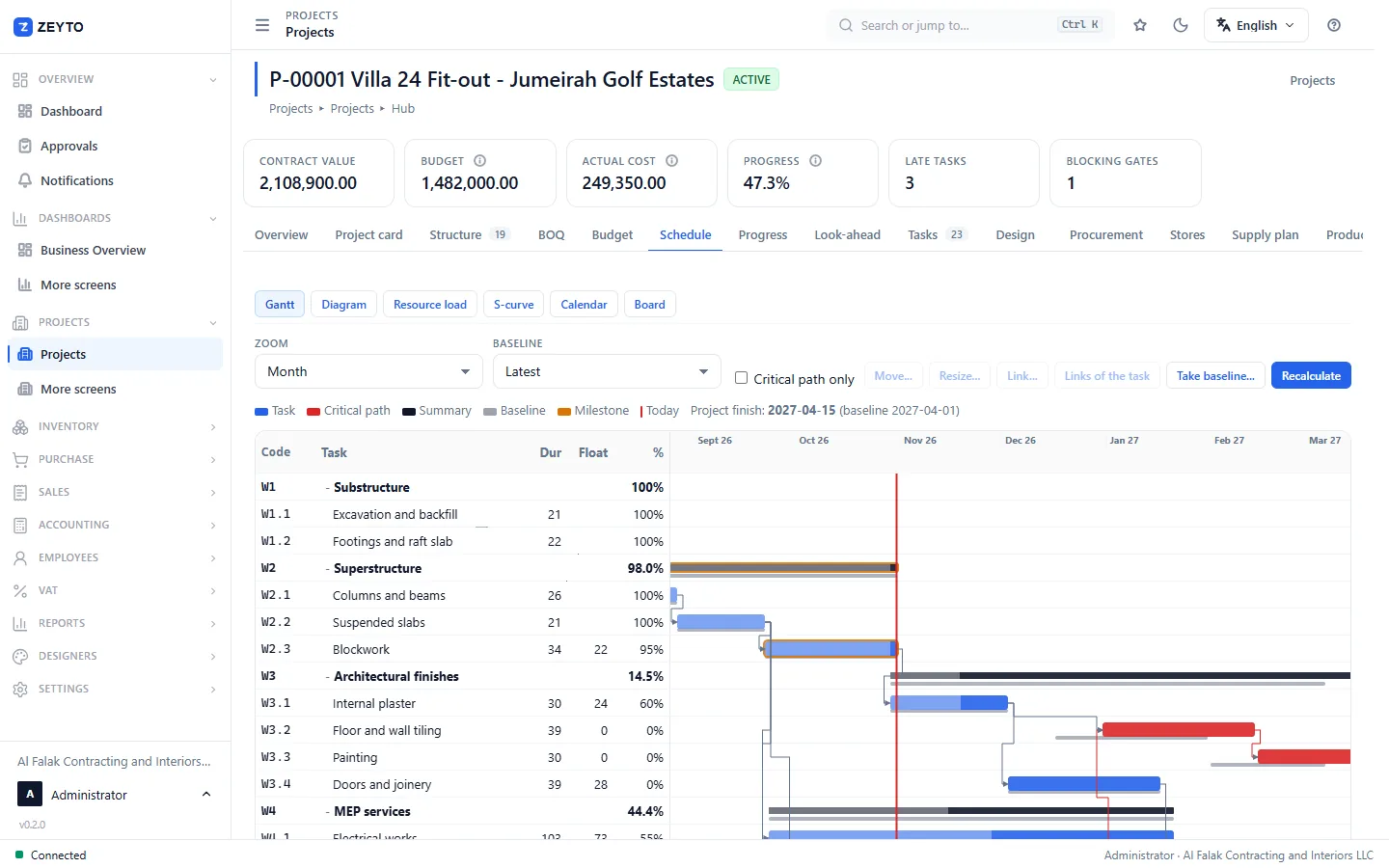
The project, its BOQ, work breakdown, budget and schedule.

What is in it

Engineering

Design and document control that can stop work.

What is in it

Timesheets and petty cash

Labour and site cash on the right project.

What is in it

Governance

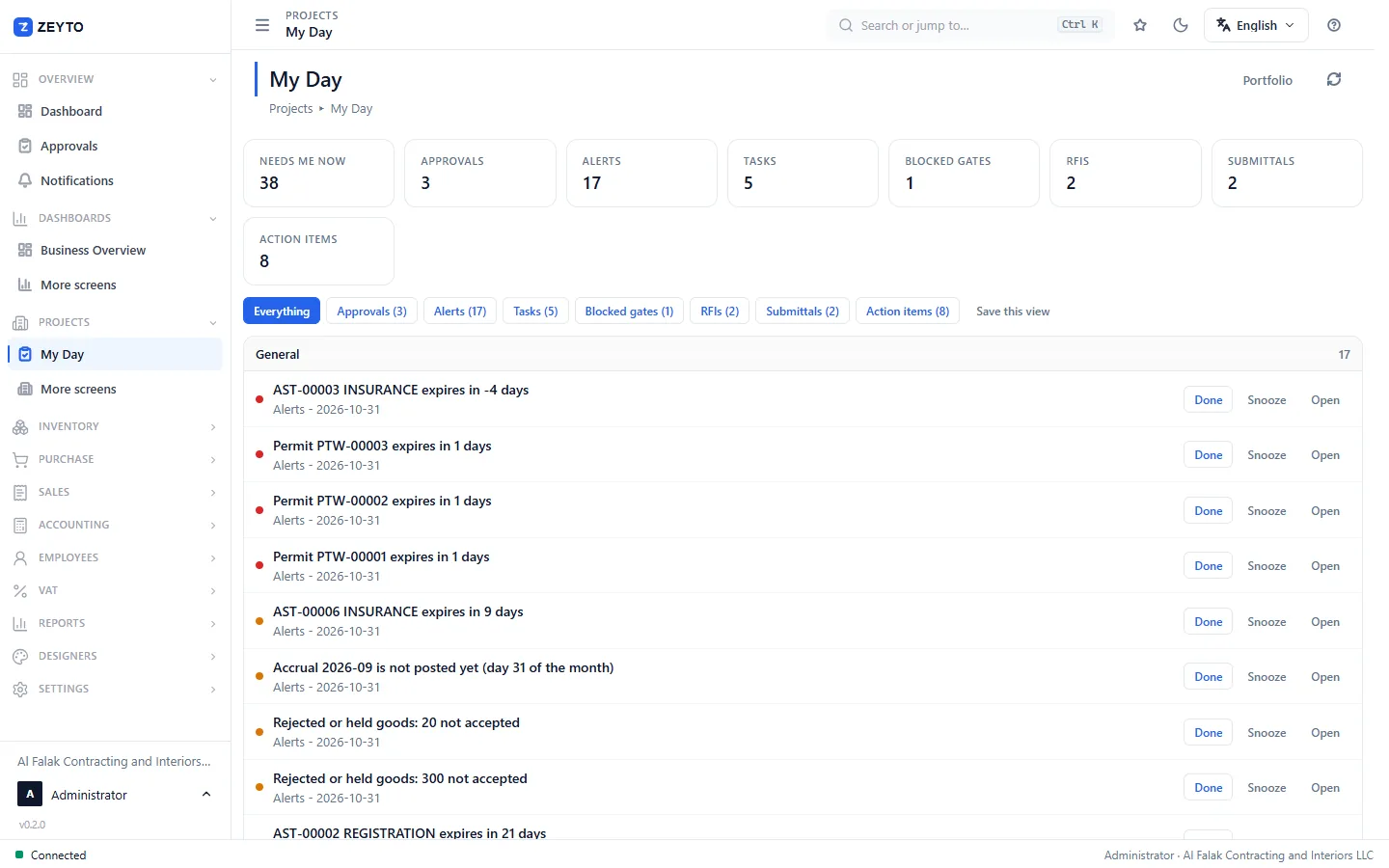
Approvals, alerts and a trail you can show an auditor.

What is in it
Screens

What it looks like

On the phone

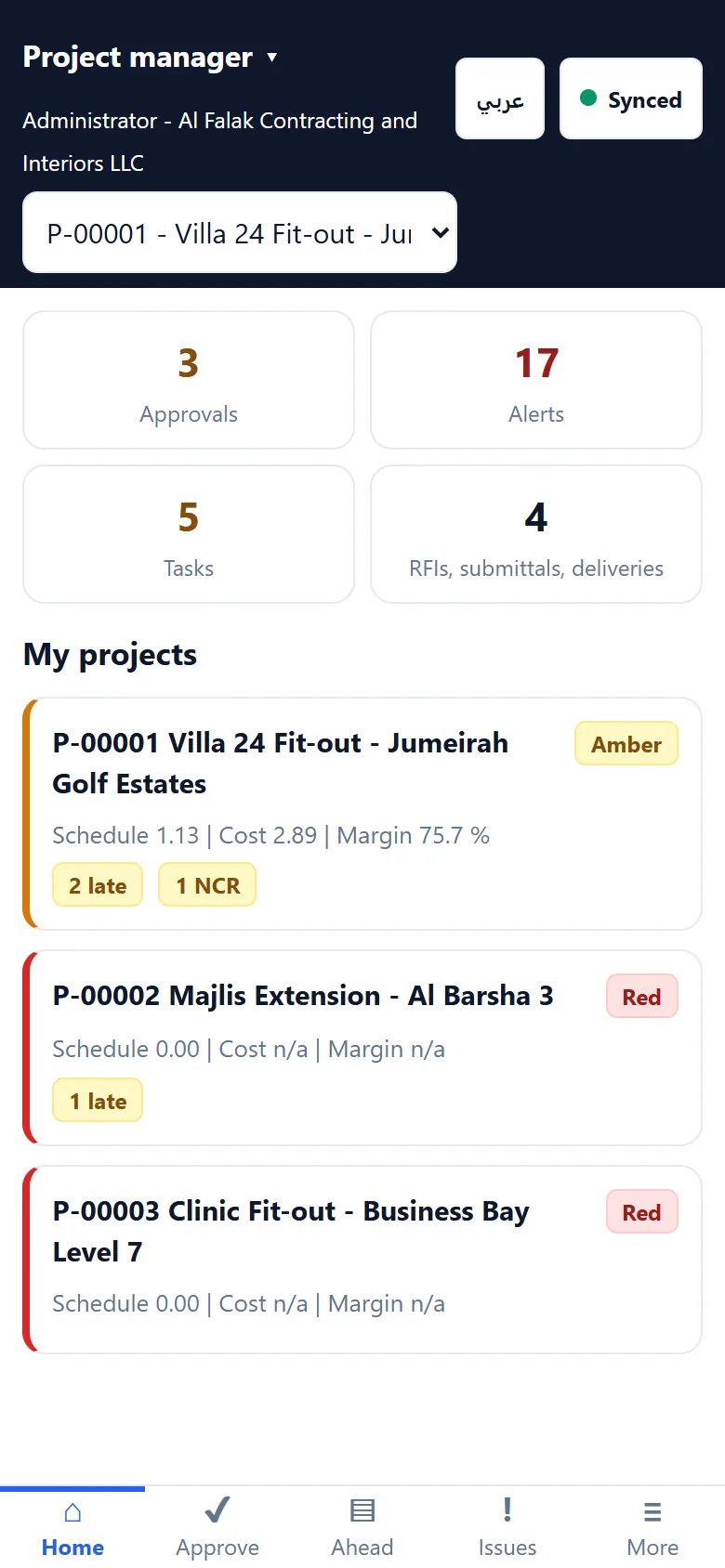
A phone showing the project manager home with counts of approvals, alerts and tasks and a card for each project with schedule and cost status.
Project manager home
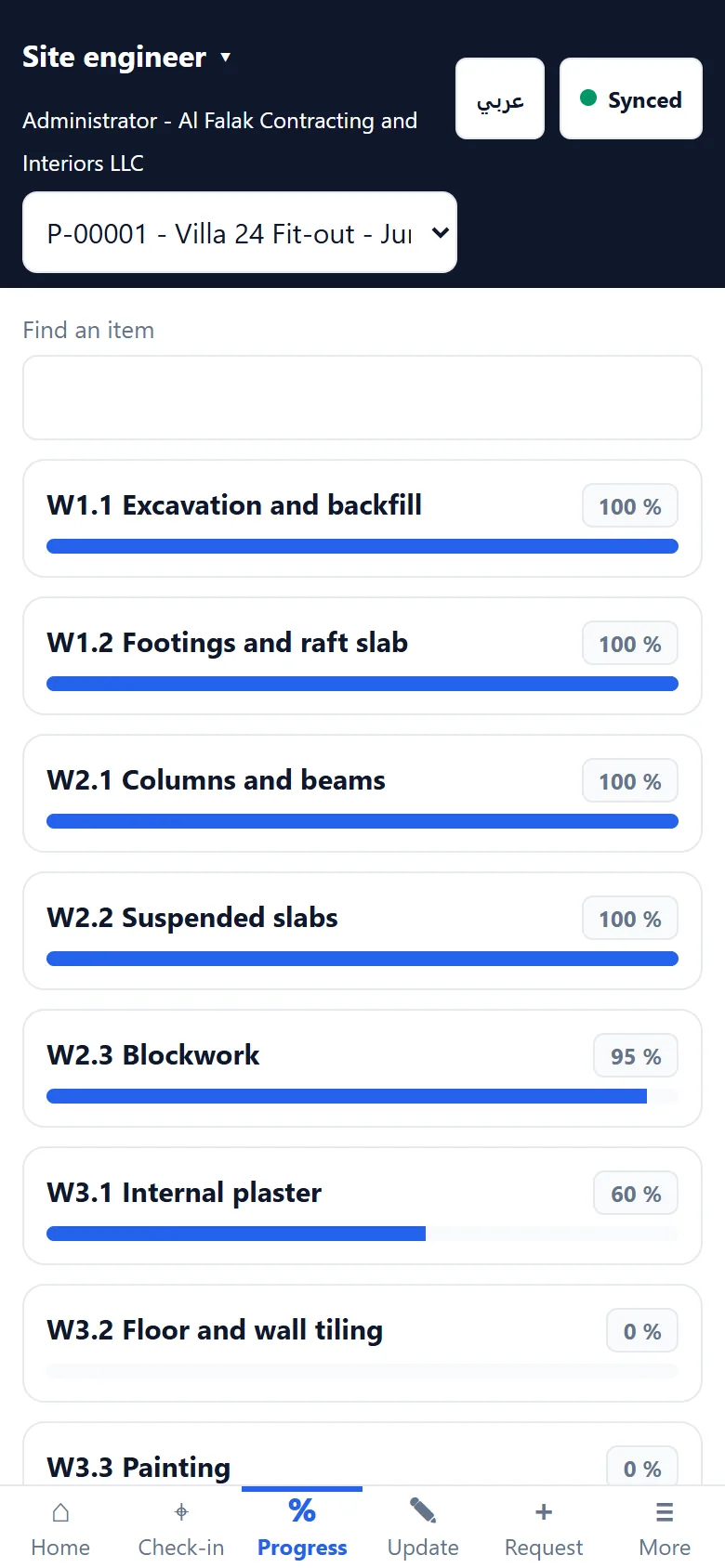
A phone listing the items of work with a progress bar and percent complete for each one.
Site progress
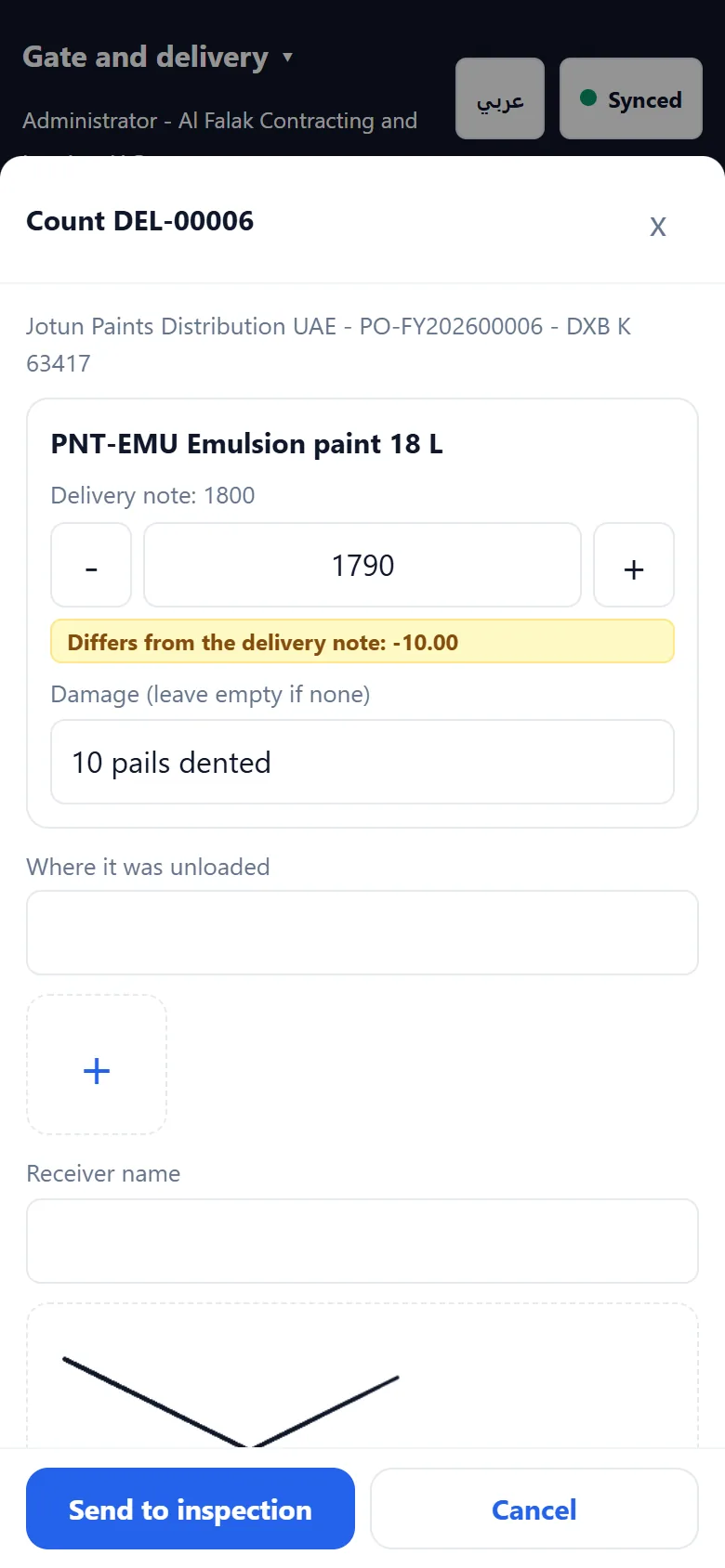
A phone count sheet for a delivery at the gate with the delivered quantity, a damage note and a signature area.
Gate count
A phone showing it is offline with two records waiting to be sent and a list of records already sent with their temporary numbers.
Offline queue
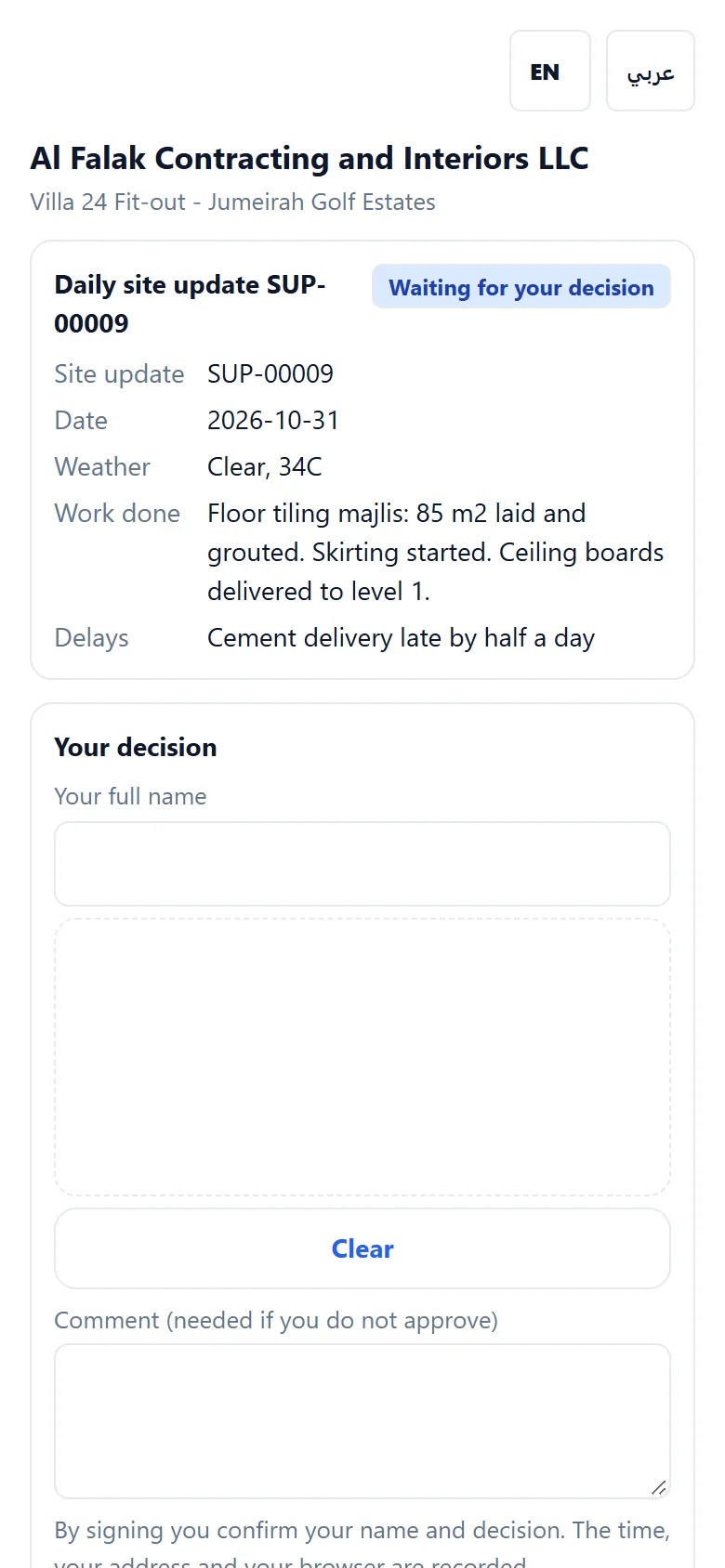
The public approval page a client opens from a link, with the site update, a name field and a comment before approving.
Client approval link

Screenshots from a Zeyto Contracting build with demo data. The contractor, client and project shown are made up. The phone app is built and exercised in a browser; it has not yet been run on a range of real devices.

Who it is for

Built for the way contractors work

Main contractors

Many projects, many sites, a head office that needs one view.

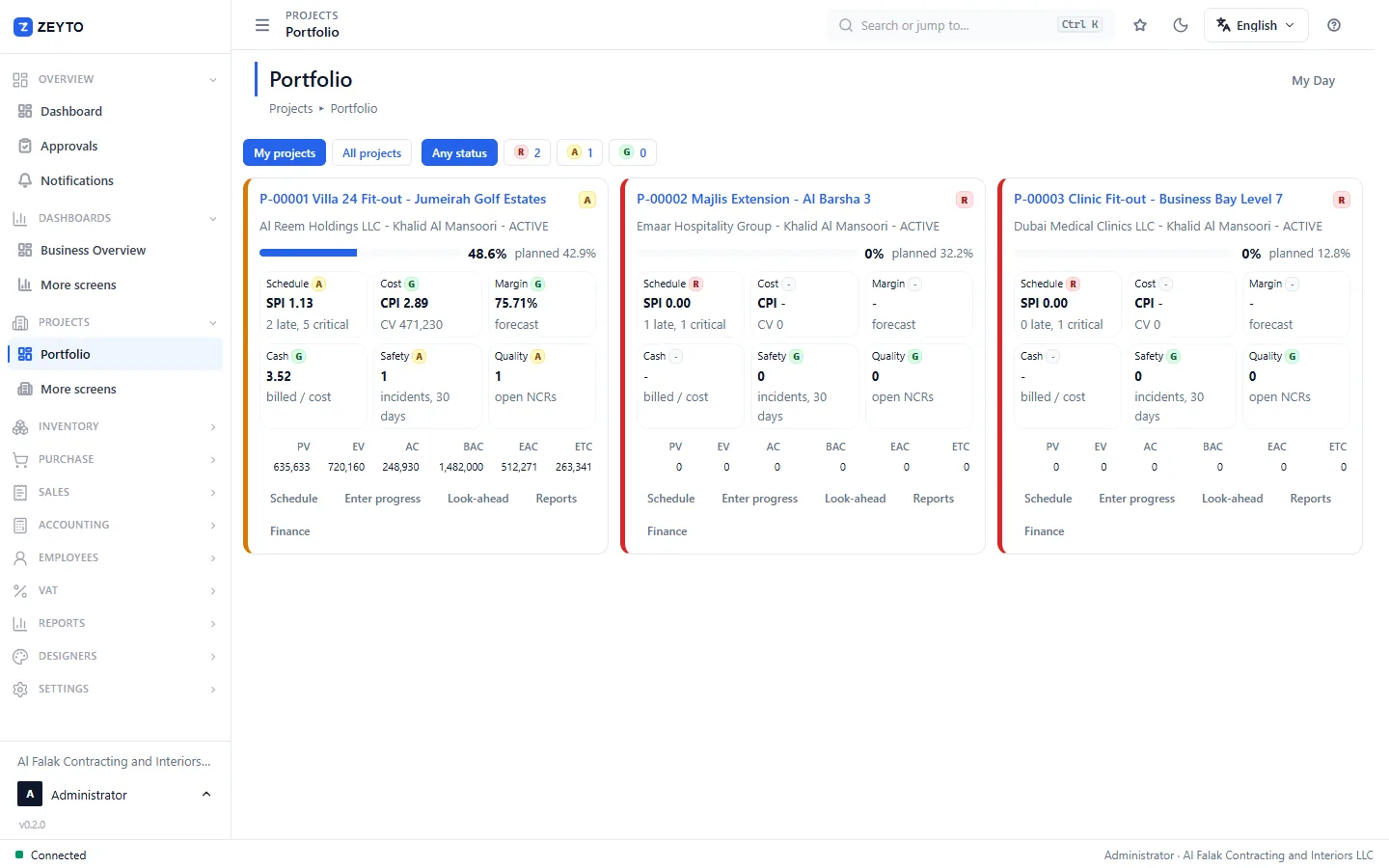
  • Portfolio board with schedule, cost, margin, cash, safety and quality per project
  • Subcontract packages with certificates, retention payable and back-charges
  • Client billing with retention and variations

MEP and fit-out contractors

Material-heavy work with tight submittal and inspection loops.

  • Submittals and drawing gates before purchase
  • Delivery, inspection and goods received at the accepted quantity
  • Project bill of materials and cut list for production

Civil and infrastructure

Plant, fuel, labour and quantities measured on site.

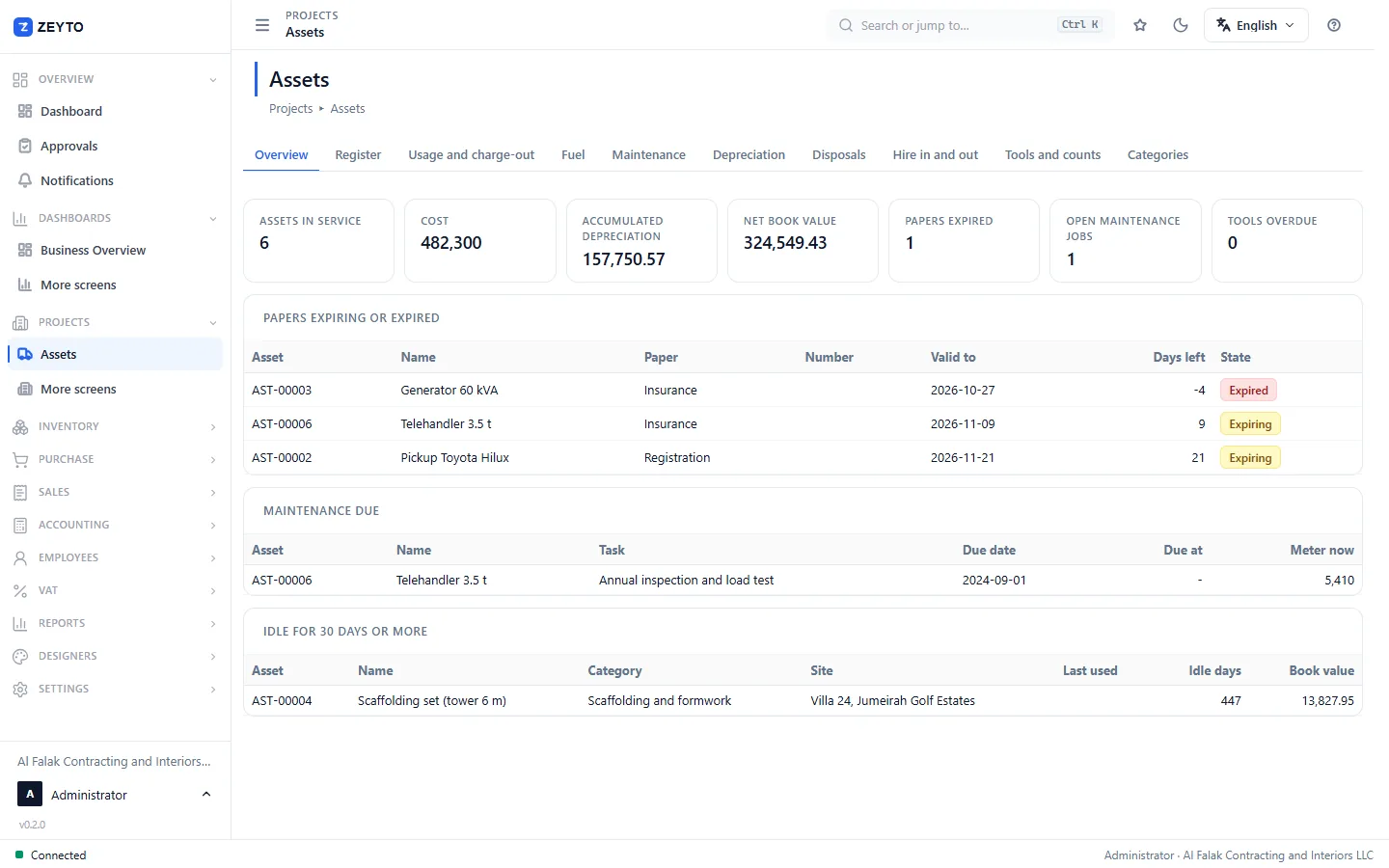
  • Assets with usage, fuel, maintenance and charge-out to projects
  • Progress by measured quantity on the progress grid
  • Site check-in, permits to work and toolbox talks

Subcontractors

You bill a main contractor against certificates and carry their retention.

  • Progress bills with retention held and released
  • Advance recovery tracked to the last fils
  • Timesheets and labour allocated to the job
UAE ready

What is built for the UAE, and what is not yet

Each line says plainly whether it is in the product today.

VAT on tax invoices In the product

Sales and purchase documents carry UAE VAT. The advance tax invoice takes VAT out at receipt, and VAT on a retention release is handled at the release.

VAT201 worksheet and FAF export In the product

The VAT201 worksheet is built from VAT entries tagged with their box, and a FAF export is available. Filed periods are locked.

Retention In the product

Retention is held on each progress bill, tracked in an append-only ledger, and released only with two approvals. Practical completion starts the defects period.

English and Arabic Partly

Screens switch between English and Arabic with right-to-left layout, and the payment certificate and daily progress report print English and Arabic on one sheet. The Arabic wording is still being reviewed and help text is English only.

Labour card and visa checks In the product

A worker whose visa or labour card has expired cannot be put on a project timesheet line.

WPS salary file Partly

A draft salary file can be exported, but it is not yet accepted by banks: employer ID, routing code and the salary split are not fully captured. Do not use it to pay salaries until this is finished.

E-invoicing readiness Partly

Zeyto builds an e-invoice data file in the PINT AE style, keeps a copy and queues it for an accredited service provider. Zeyto is not an accredited provider, and live sending through a provider is not yet built or certified. It is on the roadmap and will be needed before the UAE e-invoicing dates apply to you.

How it works

Five steps from tender to final account

1

Set up the company and the project

Create the project, its areas and the work breakdown tree. Link the contract with the client.

2

Price the BOQ and approve the budget

Enter or import the BOQ, lock the tender version, and approve a budget by cost nature on each item of work.

3

Buy and receive, with inspection

Request material against the BOQ, run RFQs, place orders, and receive goods through count and inspection into stores.

4

Run the site from phones

Engineers record progress and daily updates, the gate counts deliveries, QC inspects and safety logs permits, online or offline.

5

Bill, collect and control

Raise progress bills with retention and VAT, watch the finance hub, forecast cash, and close the month with a lock.

Your data, your server

Local first, with a hosted option to come

  • Runs on your own Windows server with its own database, on your office network.
  • Daily work needs no internet. Internet is for the licence, updates and the phone relay.
  • Backups are built in and encrypted; see security and deployment.
  • Hosted: coming. A hosted option is planned and not offered as a service yet.
Questions

Straight answers

Is Zeyto Contracting available now?
Not yet. The product is built and tested in code, but it has not been released: there is no public installer and no customer running it. We are looking for contractors who want to see it and pilot it. You can request a demo.
How is it different from accounting software?
The ledger is tagged by project and work breakdown node from the first document, so you see budget, committed and actual by item of work without building it in a spreadsheet. Billing, retention, procurement, inspection and site records are part of the same system, not an add-on.
Does it need internet?
Not for daily work. It installs on a Windows PC in your office with its own database, and users connect over your network. Phones can work offline and send their records when they reconnect. Internet is used to activate the licence, to download updates and for the phone relay.
Can I host it in the cloud?
A hosted option is planned and is not available as a service yet. Ask us about your case. The product is built to run on your own server first.
Does it handle UAE VAT?
Yes: VAT on tax invoices, on advances and on retention release, a VAT201 worksheet and a FAF export. See the UAE block on this page for exactly what is built and what is not.
Is it ready for UAE e-invoicing?
Partly. It prepares the e-invoice data and queues it, but sending through an accredited service provider is not yet built or certified. We will not claim readiness until that is done.
Can site staff use it without training?
The phone app opens on a home screen for the person’s role, with large buttons for the few things that role does. It is made for site use, but we cannot promise a training-free rollout: we recommend a pilot on one project first.
What does it cost?
There is no published price list yet. The licence is built around modules and limits on live projects and sites. Contact us and we will discuss your size.
Can I move data from my current system?
Projects can be imported from Excel and from CSV files exported by common planning tools, and the BOQ can be pasted in. A migration of your ledger from another system is a project we would scope with you.
Is my data safe?
Data lives in a database on your own server. Backups are encrypted files, restore only accepts a Zeyto Contracting backup, and every change is recorded in a tamper-evident audit trail. See the security page for details.

See it with one of your own projects

Book a walk-through. We show the project hub, a progress bill with retention, and the site phone app, then talk about a pilot on one project.

Live demo site: coming at sharp.zeyto.app. Looking for the general business ERP? See Zeyto ERP, or Zeyto ERP for contractors.